CSS box-sizing: Controlling the Element Box Model

As I work with a new boot camp junior developer who's joined our team, I'm gradually going back over CSS basics with them. So, it makes sense ‑ I think ‑ to write some of this down, even if it is relatively common knowledge for any seasoned front‑end developer.
In CSS, the box-sizing property is a simple tool that every developer should understand. It allows us to control how an element's dimensions are calculated (when defining these via width or height for example), and it can save us from lots of layout headaches and unexpected renderings in our interfaces.
What Is box-sizing?
Starting at the very beginning... In CSS, every element is represented within the document flow as a rectangular box, which is defined by the box model. The box model consists of four areas:
Content:
The actual content inside the box (e.g., text, images).Padding:
The space between the content and the border.Border:
The border surrounding the padding.Margin:
The space outside the border that separates the element from others.
It looks a little like this:
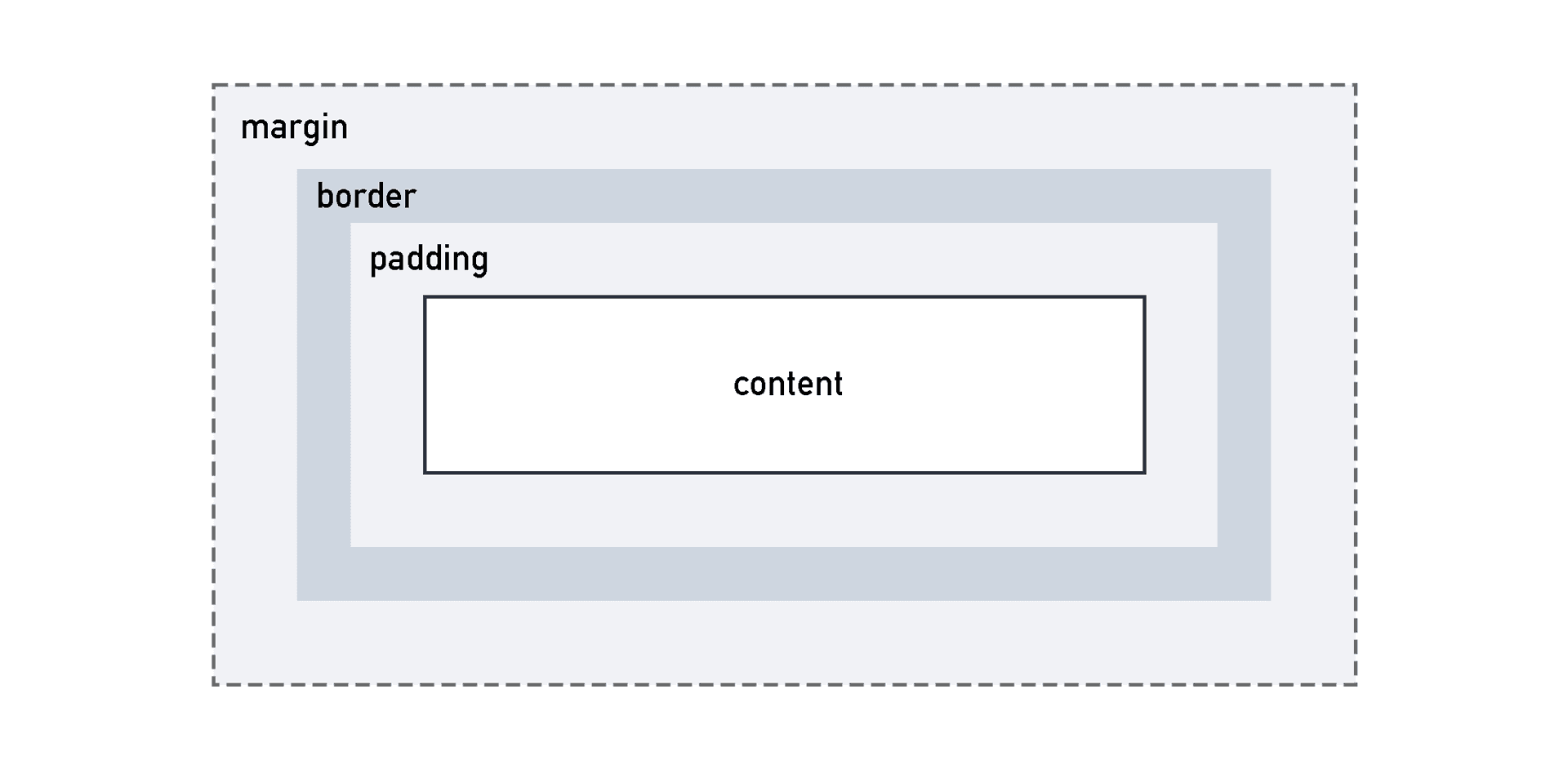
The box-sizing property determines whether the padding and border are included when rendering an element's width and height.
The Default Box Model
By default, most browsers use the content-box value for box-sizing. This means the specified width and height of an element apply only to the content area, so padding and borders fall outside (and are rendered in addition to) the defined width and height.
Take this div, for example:
div {
  width: 200px;
  height: 100px;
  padding: 20px;
  border: 10px solid #336699;
}
Here's how the total size is calculated:
Content area:
200px(width) x100px(height)Padding:
20pxon each sideBorder:
10pxon each sideTotal size:
Width:
200px + 20px + 20px + 10px + 10px = 260px- Height:
100px + 20px + 20px + 10px + 10px = 160px
So, despite the width being defined as 200px in the CSS, it will actually take up 260px of real estate in the document flow. Likewise, the height is defined as 100px but will actually take up 160px. This default behaviour can lead to unexpected layout issues, especially if you are relatively new to front‑end development or you're working with fixed‑width or responsive layouts.
Some confusion comes from historical browser quirks and the different default styles applied to particular elements, such as form controls. In standards mode, check the element's computed box-sizing and any reset styles before assuming the browser uses a different box model.
box-sizing Values
There are two main values in CSS for box-sizing:
1. content-box
This is the default. With box-sizing: content-box, the width and height apply only to the content area of the element and exclude padding and border values.
div {
  box-sizing: content-box;
  width: 200px;
  height: 100px;
  padding: 20px;
  border: 10px solid #336699;
}
As we discussed above, the total size of this div will be 260px x 160px.
2. border-box
With box-sizing: border-box, the width and height values include padding and border. This makes the element's overall size match the specified width and height.
div {
  box-sizing: border-box;
  width: 200px;
  height: 100px;
  padding: 20px;
  border: 10px solid #336699;
}
Total size: 200px x 100px (padding and border are included in the width and height values, so the content inside it is smaller).
Why Use box-sizing: border-box?
Many modern resets explicitly choose border-box, but that is not universal: Eric Meyer's reset does not set it. I often add it because it:
Simplifies Layouts:
Total size is predictable and easier to calculate.Improves Consistency:
Ensures elements align correctly in complex layouts.Enhances Responsiveness:
Works seamlessly with percentage‑based dimensions.
To apply border-box universally, many developers include this snippet at the start of their CSS:
*,
*::before,
*::after {
  box-sizing: border-box;
}
This then ensures that all elements use the border-box model, including their pseudo‑elements.
Wrapping Up
The box-sizing property may seem fairly basic in the grand scheme of front‑end development, but it plays a vital role in creating maintainable and predictable layouts. By switching to always using border-box, we can streamline our interface development and avoid the common pitfalls of the box model.
Key Takeaways
box-sizingdetermines whether padding and border are included in an element'swidthandheightvalues.- Use
box-sizing: border-boxfor consistent and predictable layouts. - A universal
border-boxrule is a common best practice in modern CSS.
Mastering box-sizing is essential for building responsive and visually balanced designs, helping us avoid unnecessary headaches in our CSS layouts.