Create Arrays of Any Size with Placeholder Content in JavaScript

When you're working on a project, be it a web app or a more traditional website, you will inevitably find yourself manipulating arrays of data on the client side. From experience though, there are often times when the data you need simply is not yet ready for your application to consume. I found this happens fairly frequently in larger teams where the front‑end developers are waiting on the back‑end or API developers, all the while development grinds to a halt.
This doesn't need to be the case: I'll often work with API teams to produce a set of stubbed data (particularly useful when developing in a test‑driven environment), but sometimes you just need a simple, manually‑created array to be able to make a start. In JavaScript it could look something like this:
const array = [
  'item one',
  'item two',
  'item three',
  'item four',
  'item five',
];
This is a really straightforward method of constructing an array, and will likely cover most bases when working with more basic (or smaller) chunks of code.
However, in reality, you are probably going to be working with much bigger, and more complex arrays. In these cases, you will want something a bit more programmatic. Thankfully, there are a lot of ways to create arrays of varying complexity with JavaScript ‑ so let's take a look at them.
The For/While Loop
Let's start off by using a for/while loop to create an array full of numbers. The beauty of this approach is that it's simple, straightforward, easily understandable and you can control the number of entries. It also gives you non‑empty items, which can be helpful if, for instance, you need to select something from the array and have to be able to identify which item you've selected.
let i = 0;
const array = [];

while (i < 5) {
  array.push(i);
  i++;
}

console.log(array);
//=> (5) [0, 1, 2, 3, 4]
The Array Constructor
Possibly the most convenient and quick method we'll be looking at in this post makes use of the Array() constructor. With Array you can easily form empty arrays of whatever length you would like, in a single line of code:
const array = new Array(10);
console.log(array);

//=> (10) [empty × 10]
This gives you an array with a length of ten and ten empty slots. The slots are holes rather than items whose value is explicitly undefined, so iteration methods such as map() and forEach() skip them.
If you also need your array to contain data, you can expand upon the example above by using the fill method, which looks like this:
const array = new Array(5).fill('Lorem');
console.log(array);

//=> (5) ["Lorem", "Lorem", "Lorem", "Lorem", "Lorem"]
This then produces an array of five items, all containing the string 'Lorem'.
Advancing the Array Constructor
You can also use Array.from() to create an array from an iterable, such as a string or a map, or from an array‑like object with a usable length and indexed values. An ordinary object is not automatically iterable: Array.from({ name: "John" }) produces an empty array because it has neither an iterator nor a length. Forming an array from a string is very simple:
const array = Array.from('foobar');
console.log(array);

//=> (6) ["f", "o", "o", "b", "a", "r"]
This will give you an array where each letter within the string has been assigned to an item, like this: ["f", "o", "o", "b", "a", "r"]. However, the from method has a couple of other handy uses too.
For placeholder data, pass an object such as { length: 5 } as the first argument and a mapping function as the second. The mapping function runs for each position, even though the source object has no indexed values. To recreate the for/while loop from earlier, that looks like this:
const array = Array.from({ length: 5 }, (x, i) => i);
console.log(array);

//=> (5) [0, 1, 2, 3, 4]
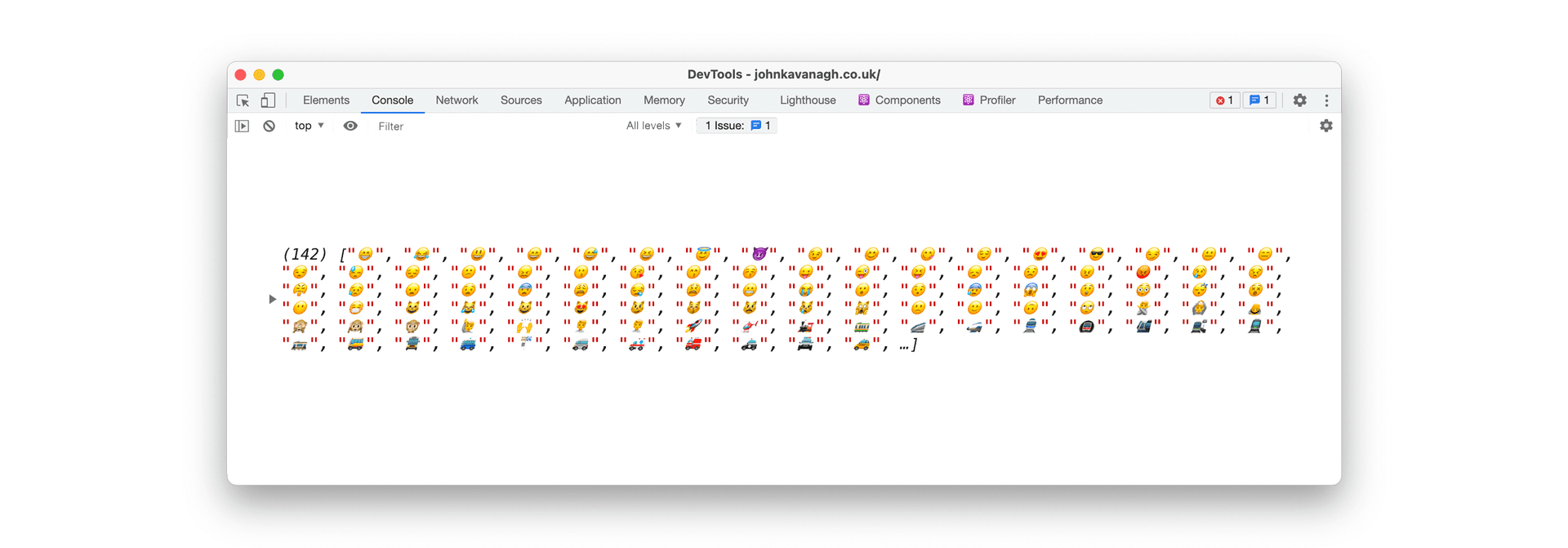
But, we don't just have to populate our arrays with numbers or letters! The code snippet below will create two arrays of emojis, then flatten them into one array and finally output all of the emojis to your developer console:
const allEmojis = [
  [128513, 128591],
  [128640, 128704],
];

const emojis = allEmojis
  .map(([start, end]) =>
    Array.from({ length: end - start + 1 }, (x, i) =>
      String.fromCodePoint(i + start)
    )
  )
  .flat();

console.log(emojis);
Each pair in allEmojis is inclusive. Adding one to end - start includes the final code point in each range; without it, Array.from() would stop one value short.
Fin.