Disabling Gatsby Telemetry

If you have set up a fresh Gatsby build recently, you may have noticed that Gatsby now boldly announces that they are collecting anonymous analytics from you. It should not come as a surprise that they feel the need to do this: the more they are able to understand how Gatsby is used (and how it fails), the better as a product it will become.
It is also important to note that the analytics collected relate very specifically to you, the developer, and the environments that you choose to run Gatsby on (although that would also potentially include wherever you choose to run your CI pipeline or deploy). As far as I have been able to ascertain there is no suggestion that they are ‑ either now or intending to ‑ tracking your users.
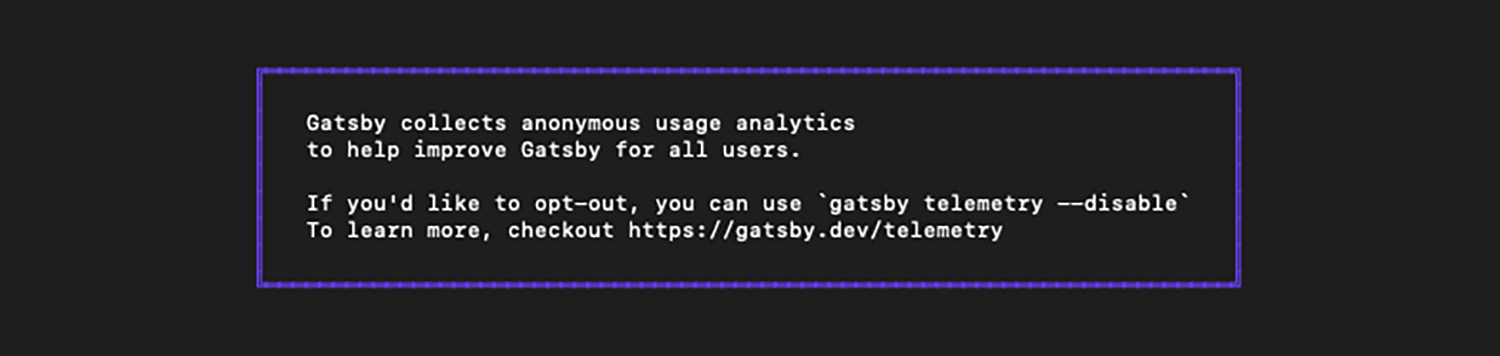
It's also fair to say that they aren't going about this in a duplicitous fashion: if you miss the massive notice in your terminal, perhaps you might want to make an appointment with your optometrist.
Nevertheless, telemetry is enabled by default, with an option to opt out. That concerns some developers, and privacy is an increasingly important thing to keep personal control over. You may also be working under an NDA or another contract that prohibits this type of data sharing, as I often am.
Fortunately, Gatsby also makes it very clear how you can opt out. Either in your terminal, run:
gatsby telemetry --disableAlternatively, set GATSBY_TELEMETRY_DISABLED to 1 in the process environment before starting Gatsby. For a single command in a POSIX shell, that looks like this:
GATSBY_TELEMETRY_DISABLED=1 gatsby buildDo bear in mind that whichever option you choose, if you are set on stopping Gatsby from collecting data from you, then you will need to repeat the above on any other machines you might also be running your build from.
Personally, I prefer the environment variable because I can set it in the CI environment as well as locally. If you keep it in an .env file, your command or environment loader must read that file before Gatsby starts; don't assume that placing the value in an arbitrary .env file is enough.
Postscript
June 2026: This Gatsby note is kept as operational archive material. The opt‑out flag is still the kind of detail teams may want in controlled CI environments, but I would now treat telemetry settings as one part of a wider build‑governance checklist rather than a standalone Gatsby concern.